Free SERP Preview Tool
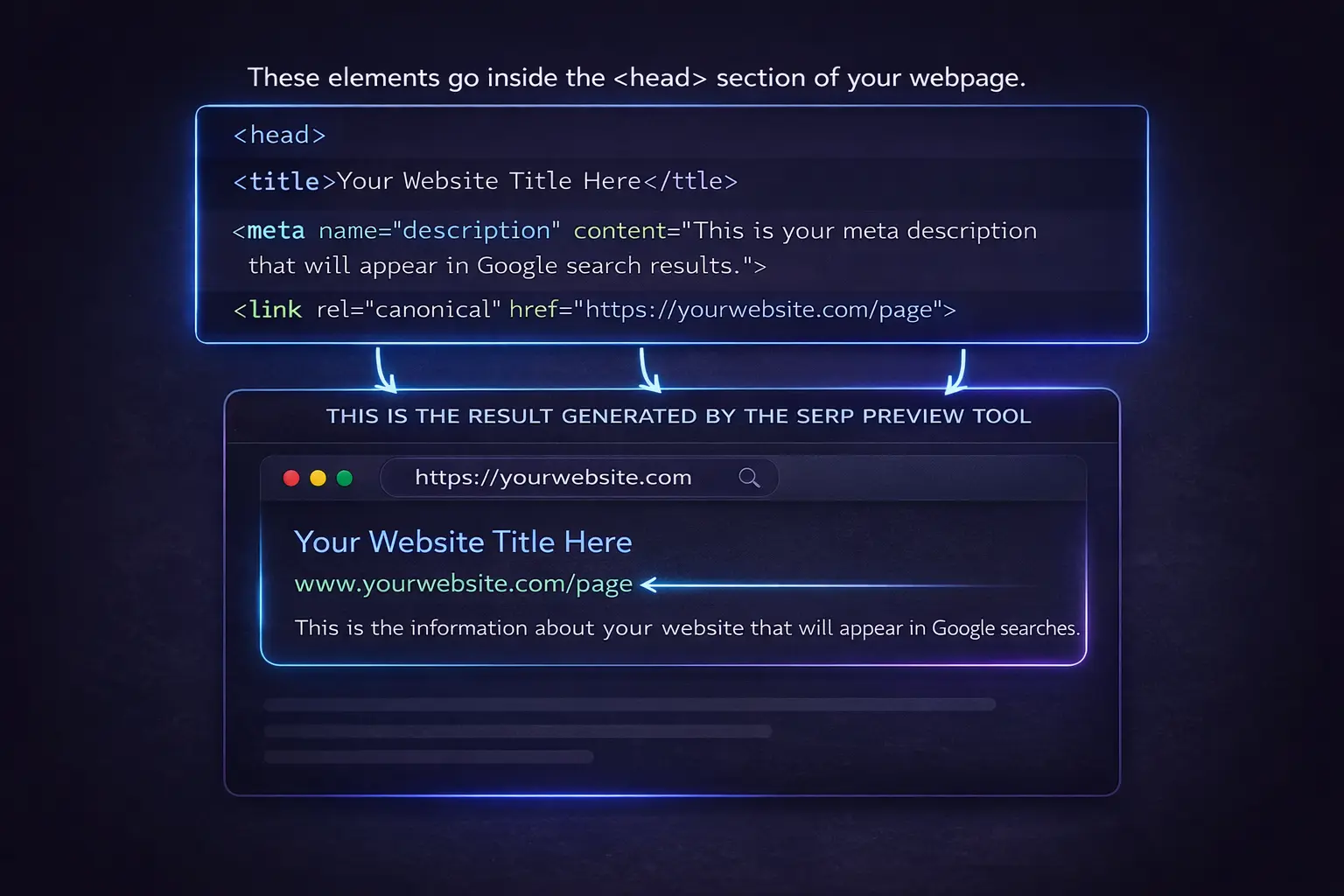
Preview how your Website may appear in Google search results before or after publishing.
No signup required. Fast, free, and easy to use.
Create Your Snippet Preview
Live SERP Preview
Google may rewrite titles and descriptions depending on the search query and device, but this preview helps you build a cleaner and more clickable snippet.
What is a SERP preview?
A SERP preview helps you visualize how your page title, URL, and description may appear in Google search results.
Why does it matter?
A clear and well-written snippet can improve visibility, help users understand your page, and encourage more clicks.
Important note
Google may rewrite some snippet elements, so this tool is a helpful preview, not an exact final result.
The Elements of a SERP Snippet
The page title, meta description, and page URL help shape how your content may appear in Google Search. Here are simple examples to make each part clear.
What is the page title?
It is the main title of your web page. In search results, it often appears as the blue clickable headline.
Example: Free SERP Preview Tool for Better SEOWhat is the meta description?
It is the short summary that explains what the page is about. It usually appears below the title in search results.
Example: Preview how your page may appear in Google before or after publishing.What is the page URL?
It is the address of the exact page on your website. A clean URL helps users and search engines understand the page better.
Example: https://yourwebsite.com/serp-preview-tool